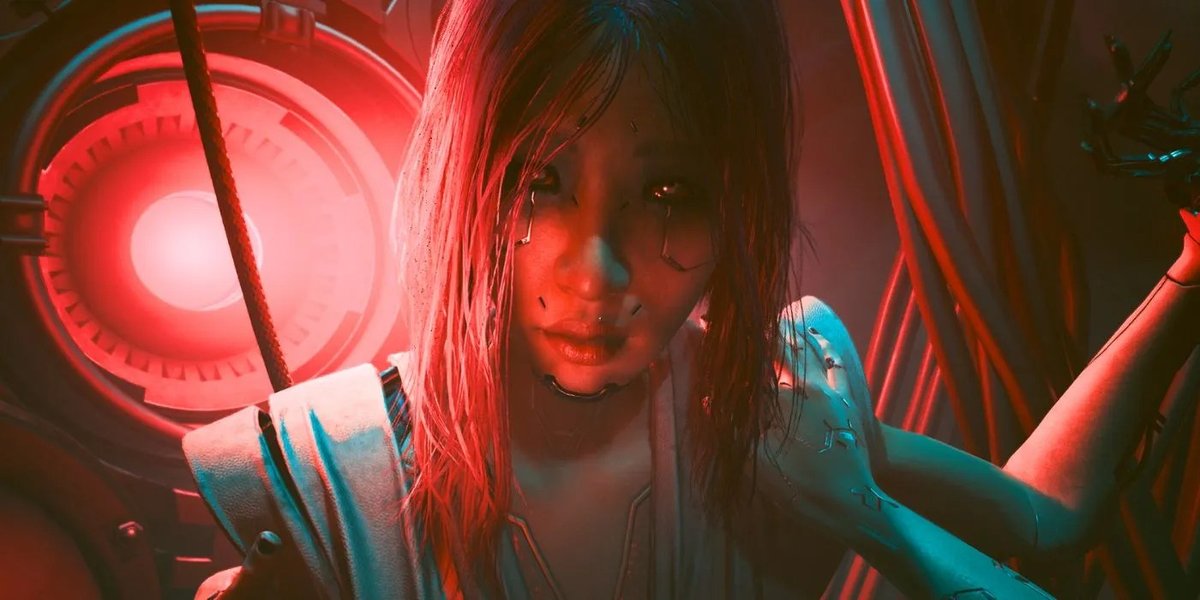
Night City just got a whole lot more intense. With the release of Cyberpunk 2077: Phantom Liberty, players diving into Dogtown are experiencing not just a thrilling new narrative, but also a significant technical overhaul. If you're wondering how your rig will hold up against the chrome-plated demands of this expansion, our deep dive into Phantom Liberty Performance & Technical Review is exactly what you need. We've pushed the latest GPUs to their limits to reveal the true cost of chasing those high frame rates in the neon-drenched streets.
At a Glance: What You Need to Know About Phantom Liberty Performance
- Ray Tracing is Brutal: Nvidia's RTX 40-series cards dominate, but even they need upscaling (DLSS) to achieve playable frame rates with "RT: Ultra." AMD Radeon GPUs struggle severely with ray tracing, often making it unplayable.
- Upscaling is Your Best Friend: DLSS (Nvidia) and FSR (AMD) are virtually mandatory for a smooth experience, especially with ray tracing enabled. DLSS 3.5 with Ray Reconstruction and Frame Generation offers a significant boost for compatible Nvidia cards.
- Rasterization is Different: When ray tracing is off, AMD's RX 7000 series cards are very competitive, often matching or even surpassing Nvidia at certain resolutions and presets, particularly at 1080p.
- VRAM Matters: GPUs with less than 8GB of VRAM, like the RX 6500 XT, hit severe bottlenecks, even at 1080p, leading to frustrating 1% lows.
- Overall Optimization is Solid: Despite its demanding nature, Phantom Liberty runs surprisingly well across a range of hardware, provided you manage your expectations and settings.
- Mid-Range Sweet Spot: Many current and previous-generation mid-range GPUs can deliver a smooth 1440p 60fps experience on the "Ultra" preset (without ray tracing) or "Medium" preset, especially with upscaling.
Stepping into Dogtown: Phantom Liberty's Technical Overhaul
Phantom Liberty isn't just a content drop; it's a profound upgrade to the underlying engine of Cyberpunk 2077. CD Projekt Red rolled out significant updates alongside the expansion, including crucial fixes for AMD SMT support, which helps Ryzen CPUs stretch their legs. More importantly, Nvidia users gained DLSS 3.5 with Ray Reconstruction, an AI-powered denoiser that promises even more immersive and performant ray tracing. This feature, however, truly shines when paired with full path tracing, a beast even for the most powerful GPUs. Our focus here is on understanding how these changes translate into real-world performance, helping you navigate the treacherous performance landscape of Night City's newest district.
To ensure our findings are as robust and relevant as possible, we employed a rigorous testing methodology. Our test system, a powerful Ryzen 7 7800X3D paired with 32GB of swift DDR5-6000 CL30 memory, provided a consistent, high-end foundation, minimizing CPU bottlenecks. We utilized the latest stable drivers at the time: Nvidia Game Ready 537.42 and AMD Adrenalin Edition 23.9.2.
Our performance numbers were gathered from a resource-intensive saved game location primarily indoors within Dogtown. This ensures we’re capturing demanding scenarios, not just open-world averages. Each test involved 30 seconds of gameplay, averaged across three runs for accuracy. We focused on three primary quality presets – 'Ray Tracing: Ultra', 'Ultra', and 'Medium' – and three key resolutions: 1080p, 1440p, and 4K. Crucially, we manually disabled all upscaling technologies (DLSS, FSR) for our native resolution benchmarks, as FSR 2.1 is auto-enabled by default on 'Ultra' and 'Medium' presets. This allows us to assess raw GPU power before upscaling enters the picture.
The Ray Tracing Gauntlet: Performance with "RT: Ultra"
This is where Cyberpunk 2077 truly shows its fangs. The "Ray Tracing: Ultra" preset activates reflections, sun shadows, local shadows, and more, creating an incredibly immersive, visually stunning experience. But it comes at a steep price.
1080p: A Glimmer of Hope, But Only for the Strong
Even at 1080p, the "RT: Ultra" preset is a tough nut to crack without upscaling.
- RTX 4090: Commands the lead with a respectable 104 fps.
- RTX 4080: Follows at 77 fps.
- RTX 4070 Ti: Manages 67 fps, just breaking the 60fps barrier.
- RTX 3090 Ti: Hovers just above 60 fps.
- RTX 4070: Drops to 51 fps, already below the ideal for many.
- RX 7900 XTX: Trails significantly at 47 fps.
- RX 7900 XT: Further behind at 40 fps.
- RX 7800 XT: Struggles profoundly at 30 fps.
Insight: The disparity here is stark. Nvidia's dedicated RT cores give it a massive advantage. While a few high-end Nvidia cards can push above 60 fps natively, most will benefit immensely from DLSS. Radeon GPUs, however, find this preset incredibly challenging. At 1080p, FSR often looks subpar compared to DLSS, making it a difficult compromise for AMD users. If you're rocking an RTX 3070 Ti, RTX 4060 Ti, or anything slower, you'll need to significantly dial back or disable ray tracing effects entirely for a playable experience.
1440p: Upscaling Becomes Essential
Step up to 1440p, and the demands skyrocket. Even top-tier cards start to buckle.
- RTX 4090: Delivers 70 fps, still playable, but a significant drop.
- RTX 4080: Plummets to 49 fps.
- RTX 3090 Ti: Sits at 42 fps.
- RTX 4070 Ti: Manages 39 fps.
- RTX 3080, RX 7900 XTX, RTX 4070, RTX 3080 Ti: All hover around the 30 fps mark, indicating a slideshow-like experience for many.
Insight: At 1440p, DLSS isn't just appealing; it's practically mandatory for most GeForce GPUs aiming for "RT: Ultra." The RTX 4070 Ti, for instance, goes from 39 fps native to a much more comfortable 71 fps with DLSS quality mode. Add in Frame Generation, and the perceived frame rate can soar to over 130 fps, though keep in mind the added latency. For most GPUs beyond the very top tier, acceptable gaming with ultra ray tracing at 1440p is simply not feasible without heavy reliance on upscaling.
4K: A Ray Tracing Dream... or Nightmare
At 4K, "RT: Ultra" turns into a beast that only the absolute titans can even attempt to tame.
- RTX 4090: Reaches 36 fps.
- RTX 4080: Falls to a mere 23 fps.
Insight: This vividly illustrates that 4K ray tracing at this intensity is generally not a viable native resolution experience, even for the most powerful consumer GPUs on the market. Heavy reliance on upscaling, and likely Frame Generation, is the only path to a playable experience. Without these technologies, you’re looking at what is essentially an interactive cinematic, not smooth gameplay. Understanding these trade-offs is crucial when deciding if Phantom Liberty is worth it for your specific hardware setup.
Beyond Ray Tracing: "Ultra" Quality Benchmarks
Turning off ray tracing entirely changes the performance landscape dramatically. The "Ultra" quality preset, with upscaling disabled, still pushes visual fidelity to its limits but relies on traditional rasterization techniques. This is where AMD's GPUs, free from the heavy burden of RT, start to show their strength.
1080p: A Rasterization Rivalry
At 1080p "Ultra," many cards deliver excellent performance, showcasing how well-optimized the game is without ray tracing.
- RX 7900 XTX: Surprisingly, leads the pack with 184 fps, narrowly surpassing the RTX 4090.
- RTX 4090: Still incredibly strong.
- RX 7900 XT: Performs admirably, about 9% slower than the RTX 4080, but 7% swifter than the RTX 4070 Ti.
Insight: Most tested GPUs performed impressively here, easily maintaining well over 60 fps. However, we did observe the limitations of entry-level cards. The RX 6500 XT struggled significantly, yielding only 24 fps with problematic 1% lows, largely due to its constrained 4GB VRAM. This highlights that while Phantom Liberty is optimized, it still requires adequate VRAM for higher settings.
1440p: Nvidia Takes Back the Lead, AMD Stays Strong
As we move to 1440p, the playing field shifts slightly, with Nvidia reclaiming its overall lead, but AMD remaining highly competitive.
- RTX 4090: Dominates with 144 fps, a solid 14% faster than the RX 7900 XTX.
- RX 7900 XTX: Still performs very well at 126 fps, maintaining a 10% advantage over the RTX 4080.
- RTX 4080: Hits 115 fps, approximately 10% faster than the RX 7900 XT.
- RX 7900 XT: Manages 104 fps, 11% faster than the RTX 4070 Ti.
- RX 7800 XT: Delivers strong performance at 89 fps, remarkably in line with previous generation flagships like the RX 6950 XT and RTX 3090.
Insight: While the RTX 4090 pulls ahead, the RX 7900 XTX offers excellent performance per dollar in rasterization workloads. Many GPUs still comfortably exceed 60 fps. Performance does start to dip below 60 fps for cards like the RX 6750 XT and RTX 4060 Ti, suggesting that upscaling might become necessary for these cards to maintain a smooth experience at 1440p "Ultra."
4K: High-End Territory
At 4K "Ultra," we're firmly in high-end GPU territory for native resolution smooth gameplay.
- RTX 4090: Achieves a smooth 75 fps, delivering excellent gameplay.
- RX 7900 XTX: Follows closely with 64 fps, about 15% behind the 4090 but a strong 14% ahead of the 4080.
- RTX 4080: Lands at 56 fps.
- RX 7900 XT: Reaches 50 fps, equating roughly with the RTX 3090 Ti.
Insight: Only the top-tier cards truly deliver a consistent 60+ fps experience at 4K "Ultra" without upscaling. Cards like the RX 6950 XT (43 fps) and RX 7800 XT (41 fps) fall below the 60 fps threshold, indicating that even with upscaling, some compromise in quality might be needed for a buttery-smooth experience. This is a good example of when to consider if Phantom Liberty is worth it for a 4K display without top-tier hardware.
Finding the Sweet Spot: "Medium" Quality Performance
For many players, achieving a stable, high frame rate is more important than absolute maxed-out visuals. The "Medium" quality preset in Phantom Liberty is surprisingly appealing, retaining much of the game's atmosphere while offering stellar performance, often pushing into CPU-limited territory for high-end cards.
1080p: Blazing Fast Frame Rates
At 1080p "Medium," the game becomes incredibly fluid on most systems.
- RX 7900 XTX: Leads with an astonishing 218 fps, slightly outpacing the RTX 4090 and 4080. This is likely a scenario where CPU overhead plays a role, with Radeon often exhibiting slightly lower overhead.
- RX 7900 XT: Achieves 191 fps, a 4% improvement over the RTX 4070 Ti and 14% over the RTX 3090 Ti.
Insight: Many GPUs achieved incredibly high frame rates here, making 1080p "Medium" an ideal setting for high refresh rate monitors or for ensuring maximum stability on less powerful hardware. Even the RTX 3050 provided a playable 56 fps, a stark contrast to its struggles on higher presets. Unsurprisingly, the RX 6500 XT continued to struggle, reinforcing its VRAM limitations.
1440p: Excellent Performance for Mid-Range Cards
Stepping up to 1440p "Medium," performance remains excellent across a broad range of GPUs.
- RTX 4090: Continues its dominance with 192 fps, a significant 22% faster than the RX 7900 XTX.
- RX 7900 XTX: Maintains a strong 158 fps, an 8% edge over the RTX 4080.
- RX 7600 and RTX 4060: Both achieve a very playable 60 fps, showcasing the viability of mid-range options for a smooth 1440p experience at this preset.
Insight: The RTX 4090 truly excels, delivering frame rates that few monitors can even display. Crucially, the "Medium" preset proves to be the sweet spot for many mid-range cards, allowing them to hit 60 fps or higher at 1440p. The RX 6500 XT, unfortunately, continued to struggle even at this lower preset, indicating it's simply not designed for Phantom Liberty at anything above basic settings.
4K: High Frame Rates for High-End Cards
Even at 4K, the "Medium" preset allows many high-end GPUs to achieve very comfortable frame rates.
- RTX 4090: Impresses with 106 fps, once again 22% faster than the RX 7900 XTX.
- RX 7900 XTX: Delivers 87 fps, a 12% lead over the RTX 4080 and a 24% lead over the RX 7900 XT.
- RX 7900 XT: Still very strong at 70 fps.
Insight: Many high-end GPUs deliver playable performance near or above 60 fps at 4K "Medium," often without needing upscaling. This is a fantastic option for those with 4K monitors who want a visually appealing experience without the extreme demands of "Ultra" or ray tracing. However, performance still declines significantly for lower-tier GPUs, leading to compromised gameplay even at this preset. It's a pragmatic choice for getting the most out of your hardware, potentially making Phantom Liberty worth it even on slightly older, but still powerful, machines.
Key Takeaways for Your Night City Experience
Decoding these benchmarks offers clear guidance for anyone looking to optimize their Phantom Liberty experience.
Nvidia RTX Dominates Ray Tracing
There's no sugarcoating it: Cyberpunk 2077 remains a prime showcase for Nvidia's hardware-accelerated ray tracing, especially with the 2.0 update and DLSS 3.5's Ray Reconstruction. If immersive, graphically intense ray tracing is your priority, Nvidia's RTX cards are the undisputed champions.
Radeon Struggles Significantly with RT
Conversely, enabling intense ray-traced effects – reflections, sun, and local shadows – severely handicaps Radeon GPUs. They simply don't have the specialized hardware to compete effectively in this arena, making such settings nearly unusable even with FSR upscaling. For Radeon users, the recommendation is clear: either reduce RT effects dramatically or disable them entirely.
Upscaling is Not Optional for Ray Tracing
For most GeForce GPUs, significant upscaling is absolutely critical for achieving acceptable ray tracing performance. Only the mighty RTX 4090 can manage around 70 fps at 1440p "RT Ultra" without upscaling. For everyone else, DLSS is your lifeline. The boost from DLSS Quality mode on an RTX 4070 Ti at 1440p "RT Ultra" (from 39 fps native to 71 fps with DLSS) is a game-changer. And for those with DLSS 3 Frame Generation compatible cards, the perceived frame rates can be much higher, though always be mindful of increased input latency.
The RT Sweet Spot: Top-Tier Nvidia
Ray tracing truly shines and becomes a viable option on RTX 4090, RTX 4080, and potentially the RTX 4070 Ti. If you own a GPU below this tier, you'll likely find a much more enjoyable experience prioritizing a high refresh rate and traditional rasterization over full ray tracing. For many, a balanced approach offers the best of both worlds, which makes Phantom Liberty worth it for its overall quality.
Balancing Visuals and Performance: A Critical Trade-off
Consider this example: an RTX 4070 at 1440p. If you try "RT Ultra" with DLSS Quality, you're barely hitting 60 fps. However, switching to the "Ultra" preset (without ray tracing) and using DLSS Quality rockets you to 123 fps – a significantly more fluid and enjoyable experience. This illustrates a crucial decision point for all players: what matters more to you, cutting-edge but demanding visuals, or buttery-smooth frame rates?
AMD's Strong Showing in Traditional Rasterization
When ray tracing is off, AMD's RDNA 3 GPUs, such as the RX 7800 XT, offer very promising performance. At 1440p native, the RX 7800 XT hits 89 fps, or 106 fps with FSR 2.1 Quality. This represents a marked improvement over its ray tracing results and positions AMD as a strong contender in non-RT workloads. It's worth noting that FSR scaling on RDNA 3 GPUs might still have some driver-level issues that could be ironed out in future updates.
Overall Optimization is Impressive
Despite its incredible graphical fidelity and demanding features, Cyberpunk 2077: Phantom Liberty is remarkably well-optimized for PC. CD Projekt Red has done a commendable job of making the game scale across a wide range of hardware, allowing players to dial settings up or down to find their personal sweet spot.
Mid-Range Viability and the Medium Preset
Players aiming for 1440p with the "Ultra" preset (no RT) and targeting around 60 fps will find many suitable mid-range GPUs from both current and previous generations capable of delivering that, even without upscaling. Furthermore, the "Medium" quality preset provides an appealing visual experience with stellar performance, making it an excellent choice for those prioritizing frame rate stability or on slightly older hardware.
Maximizing Your Cyberpunk Experience: Practical Optimization Tips
Beyond simply knowing your FPS, understanding how to fine-tune Phantom Liberty can unlock even greater performance and enjoyment.
- Always Update Your Drivers: This is non-negotiable. Game Ready drivers (Nvidia) and Adrenalin Edition (AMD) often include specific optimizations for major game releases like Phantom Liberty. Our benchmarks used specific driver versions, but newer ones frequently bring improvements.
- Experiment with Upscaling: Don't just turn it on; play with the quality settings.
- DLSS: "Quality" is often the best balance of visual fidelity and performance. "Balanced" or "Performance" can be used if you're really struggling to hit your target frame rate.
- FSR: Similar to DLSS, start with "Quality" and move to "Balanced" or "Performance" as needed. Be aware that FSR's visual quality can sometimes be less refined than DLSS, especially at lower resolutions.
- Frame Generation (Nvidia DLSS 3): If you have an RTX 40-series card, enable Frame Generation. It effectively doubles your perceived frame rate, offering an incredibly smooth experience. Just remember that it introduces a slight amount of input latency, which can be mitigated by Nvidia Reflex, but competitive players might notice it.
- Target Frame Rate vs. Resolution/Quality: This is your biggest decision. Would you rather have a consistent 60+ fps at 1440p with "Ultra" settings, or try for 4K with "Medium" settings at 45-50 fps? For most, higher, more stable frame rates lead to a more enjoyable experience.
- Individual Settings Tweaks: If you're struggling to hit your target, don't just drop the entire preset. Dive into individual settings:
- Volumetric Clouds/Fog: These are often very demanding. Reducing their quality can free up significant resources.
- Screen Space Reflections (SSR): If you're not using ray-traced reflections, SSR can still be a performance hog.
- Cascaded Shadows/Shadow Quality: Shadows are notoriously performance-intensive. Lowering these can provide a noticeable boost.
- Crowd Density: Dogtown is packed. Reducing crowd density can help CPU-bound scenarios.
- Monitor VRAM Usage: Keep an eye on your VRAM. If you're exceeding your GPU's VRAM capacity, you'll see stuttering and massive 1% lows as the system swaps data to slower system RAM. Tools like MSI Afterburner or your GPU's overlay can help with this. If VRAM is the bottleneck (e.g., on a 4GB or 6GB card at higher settings), you'll need to reduce textures, resolution, or other demanding visual options. This often determines if Phantom Liberty is worth it on older cards.
- Consider Your CPU: While our test system used a high-end CPU, Cyberpunk 2077 can be CPU-intensive, especially in dense areas. If you're seeing GPU utilization dip below 99% while frame rates are still low, your CPU might be the bottleneck. Reducing settings like crowd density or certain physics effects can help.
The Verdict: Decoding Phantom Liberty's Demands
Cyberpunk 2077: Phantom Liberty is a visually stunning and technically demanding expansion, pushing PC hardware to its limits, especially with ray tracing enabled. CD Projekt Red has delivered a well-optimized game, but its advanced graphical features, particularly the full suite of ray tracing effects, require serious horsepower.
Nvidia's RTX GPUs, especially the 40-series, continue to dominate in ray tracing performance, largely thanks to dedicated RT cores and the powerful DLSS 3.5 suite, including Frame Generation and Ray Reconstruction. For those chasing the ultimate ray-traced experience, these cards, coupled with upscaling, are the way to go.
AMD's Radeon GPUs, while struggling with ray tracing, prove to be very strong contenders in traditional rasterization workloads, often offering excellent performance per dollar at "Ultra" presets without RT. This makes them a fantastic choice for players who prioritize raw frame rates and don't necessarily need the latest ray tracing bells and whistles.
Ultimately, enjoying Phantom Liberty means understanding your hardware's capabilities and making informed choices about your in-game settings. Whether you're targeting 4K ray tracing or a smooth 1080p experience, there's a configuration that will allow you to dive deep into Dogtown and experience V's latest adventure in all its glory. It's a game that rewards smart optimization, offering a brilliant, immersive world that's truly worth the investment in both time and hardware understanding.